
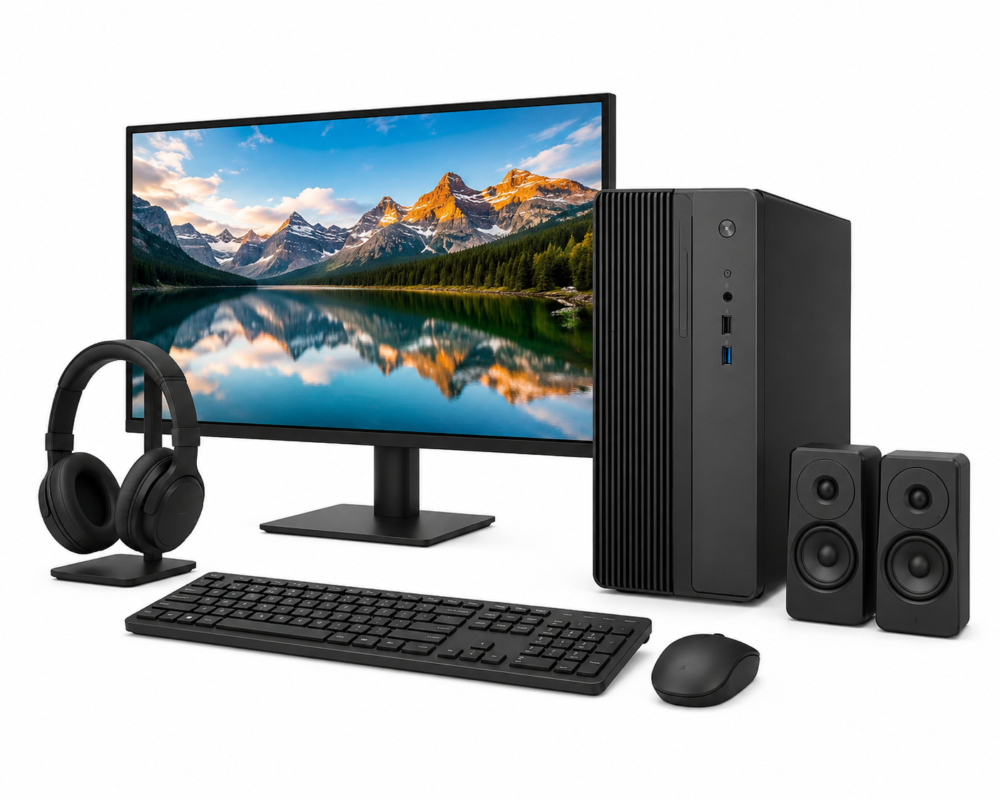
🖥️ PC Desktop Computers & Accessories
Explore PC desktop computers on Xcat, with new and refurbished systems for home, work, study, gaming and everyday computing. Our growing Desktop's & Accessories marketplace brings together complete desktop PCs, compact computers and useful accessories from Xcat and independent sellers. Compare each computer and desktop listing by specification, condition, price and seller to find a system that suits your needs.
Find PC Desktop Computers on Xcat
Whether you're looking for an affordable home PC, a reliable office computer or a more powerful system for demanding applications, Xcat is developing a marketplace where buyers can compare a growing selection of PC desktop computers in one place.
Available listings may include traditional desktop towers, small form factor PCs, mini PCs, all-in-one computers, workstations and other desktop systems. As more independent sellers join Xcat, the selection of computer and desktop products can continue to expand.
New & Refurbished Desktop Computers
Depending on current marketplace stock, buyers may find both new and refurbished desktop computers. Refurbished PCs can provide excellent value for home, education and business use, particularly when you don't require the latest generation of hardware.
New desktop computers may provide newer processors, graphics technology, connectivity and upgrade options. Product condition, refurbishment standards, included accessories and warranty can vary between sellers, so always check the individual listing before purchasing.
Desktop PCs for Home, Work & Gaming
Different users require very different desktop specifications. Xcat's structured product information is designed to make comparing available systems easier.
- Home Computers: Entry-level and mid-range desktop PCs can be ideal for browsing, email, shopping, streaming and everyday household computing.
- Business & Office PCs: Look for suitable processor performance, RAM, SSD storage and connectivity for reliable everyday productivity.
- Student Computers: Affordable desktop systems can provide a practical workstation for research, assignments, online learning and general study.
- Gaming PCs: Gaming systems typically require stronger processors, additional RAM, suitable graphics hardware and adequate storage for modern games.
- Creative & Professional Systems: Video editing, CAD, design and other demanding applications may benefit from more powerful processors, dedicated graphics and larger amounts of memory.
Compare Desktop Computer Specifications
The price of a desktop PC only tells part of the story. Processor generation, memory, storage and graphics hardware can make a major difference to the performance and useful life of a computer.
Xcat uses structured specification templates to help sellers provide important technical information consistently. Depending on the listing, you may be able to compare specifications including:
- Processor type and model
- Processor speed and core count
- Installed RAM
- SSD and hard drive capacity
- Graphics hardware
- Operating system
- Wi-Fi, Bluetooth and network connectivity
- USB, HDMI, DisplayPort and other connections
- Desktop form factor
- Product condition and warranty
Desktop Towers, Mini PCs & All-in-One Computers
Not every desktop computer uses a traditional tower case. Modern PC desktop computers are available in several formats, each suited to different applications and available workspace.
Full-size and mid-tower PCs can offer greater upgrade potential, while small form factor and mini PCs save valuable desk space. All-in-one computers combine the display and computer hardware into a single unit, providing a compact option for homes, offices and reception areas.
Popular Desktop Computer Brands
As the Xcat marketplace expands, listings may include desktop PCs from established manufacturers such as Dell, HP, Lenovo, Acer, ASUS, Apple and other computer brands.
Available manufacturers and models will depend on current seller stock. Compare the actual specifications of each system rather than relying on the manufacturer alone, as performance can vary considerably between models.
Shop Desktop Computer Accessories
The Desktop's & Accessories category isn't limited to complete computers. It is also being developed as a convenient place to discover accessories, upgrades and replacement equipment for desktop systems.
Depending on available marketplace listings, products may include:
- Keyboards and mice
- Computer speakers and headsets
- Wi-Fi and Bluetooth adaptors
- USB hubs and connectivity accessories
- Power supplies and power accessories
- Storage devices and drives
- Memory and upgrade components
- Cables and adaptors
- Desktop stands and other accessories
Check Computer & Desktop Compatibility
Compatibility is particularly important when buying replacement parts or upgrades for a desktop PC. Memory, storage, power supplies, graphics cards and other components may require particular interfaces, physical dimensions or system specifications.
Always check the individual product information and the specifications of your existing computer before purchasing an upgrade or replacement component.
Use Xcat Filters to Find the Right Desktop
As more PC desktop computers and accessories are added, Xcat's dynamic category filters are designed to make larger product ranges easier to explore.
Structured specifications can help buyers narrow down available computer and desktop listings according to relevant characteristics rather than searching manually through unrelated products.
A Growing Desktop Computer Marketplace
Xcat is continuing to expand its Consumer Electronics marketplace. Independent sellers can add desktop computers and accessories alongside Xcat's existing product ranges, helping increase the choice available to buyers.
If the particular desktop PC, specification or accessory you're looking for isn't available today, check back as new marketplace listings are added.
Frequently Asked Questions
Are refurbished desktop computers worth buying?
A refurbished desktop computer can provide excellent value for home, office and study use. Check the stated condition, hardware specifications, refurbishment information and warranty on the individual listing before buying.
What should I check when buying a desktop PC?
Consider how you intend to use the computer and compare its processor, RAM, storage, graphics, operating system and connectivity. Also consider whether you may want to upgrade the system in the future.
How much RAM does a desktop computer need?
The amount of RAM required depends on the software you use. Everyday browsing and office applications generally need less memory than gaming, video editing, CAD and other demanding applications. Check the requirements of your software before choosing a system.
Can desktop computers be upgraded?
Many desktop PCs allow components such as RAM, storage and graphics hardware to be upgraded, although this varies by system. Small form factor, mini and all-in-one computers may offer fewer upgrade options, so check the individual system specifications first.
Do desktop computers on Xcat include a warranty?
Warranty coverage can vary according to the product, condition and seller. Check the warranty information displayed on the individual listing before purchasing.
Browse PC Desktop Computers & Accessories
Explore PC desktop computers and accessories on Xcat. Compare available systems, technical specifications, condition and seller options to find the right computer for your requirements and budget. Our desktop range will continue to grow as more products and marketplace sellers are added.